Mascot sculpture design approval: freeze the character before tooling
Freeze a mascot sculpture by approving a named 3D revision against authorized brand references, a fixed set of views and explicit exceptions. Sign off on likeness, finish and fabrication interfaces separately. Release tooling only when the decisions that can change the master are closed.
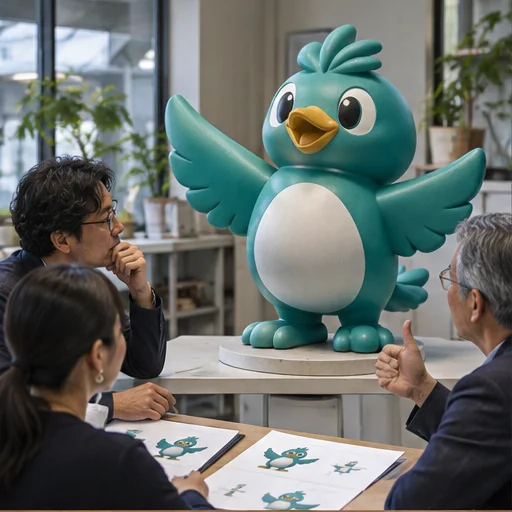
Establish the source of truth
Ask the brand owner for the current character turnaround, expression guide, color references and permitted logo files. Assign an owner to resolve conflicts before modeling. For example, if the campaign artwork shows an oversized hat but the approved character sheet does not, flag the discrepancy as an open decision. Keep reference files with their dates and identify the variants and locations for which their use is authorized.
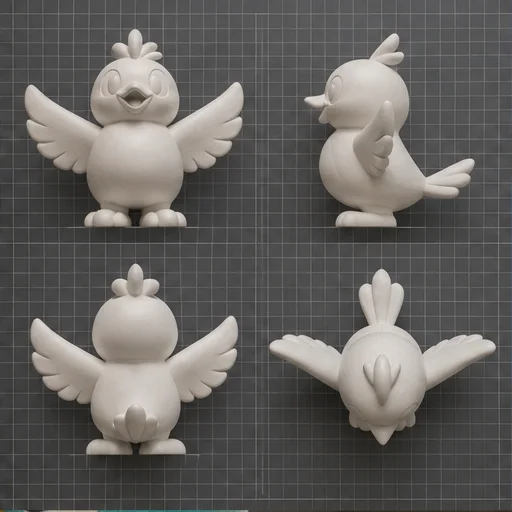
Review a fixed view set
Request front, rear, side and three-quarter views with consistent scale and neutral lighting. Add views from the actual audience approach, including low views where the sculpture will be raised. Review silhouette first, then the eye line, mouth corners, accessory position and logo legibility. Mark each issue on the same revision and describe the intended result. “Lower the right eye until it aligns with the approved expression sheet” gives the modeler a decision to execute. “Make it friendlier” needs a reference or a named approver to resolve it.
Separate decisions before release
| Decision | Evidence | Release condition |
|---|---|---|
| Character likeness | Named model revision and marked view set | Brand approver closes silhouette, expression and costume issues |
| Color and finish | Labeled sample with specified review conditions | Finish reviewer records accepted sample and unresolved variation |
| Site and assembly | Dimensioned envelope, base interface and proposed seams | Project team confirms interfaces and identifies technical approvals |
| Tooling | Release record listing exact approved files | Required approvals and fabrication-affecting changes are closed |
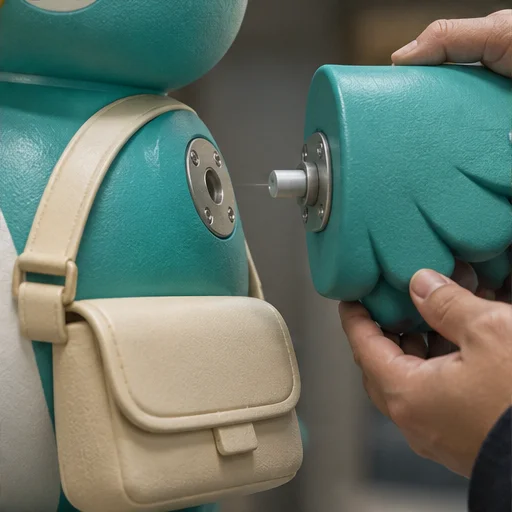
A maker's documented mascot process includes review of proportions before forming and physical finish approval before painting. Use these as separate decision gates in your brief. A low-angle render can demonstrate intended expression, while the site team still needs dimensioned information to coordinate the base and surroundings. Custom Display Props
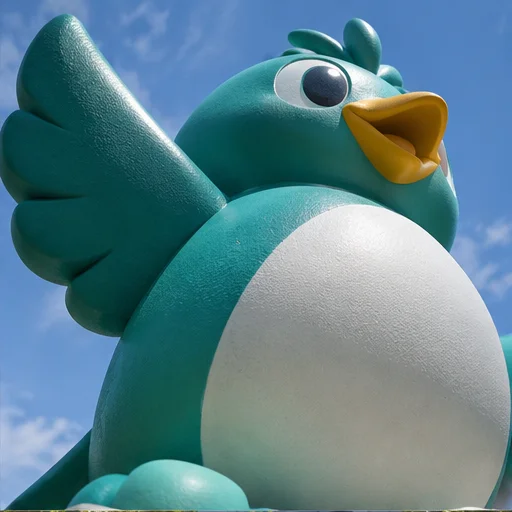
Reopen only the decisions a change affects
If a taller pedestal changes what visitors see under the chin, reopen the sightline and interface decisions. If the sculpted mouth changes after tooling release, record what changed and request a review of the master, tool and first-off sample before any further release. Keep superseded revisions in the decision history, and make the current released files unambiguous to the fabricator and brand team.
Approval flow: Authorized references → named 3D revision → markups and physical finish review → close interface issues → written tooling release.
Review what changes with full size
Model size affects how decisions are communicated. A reviewer who can rotate a desktop model may notice a detail that a visitor approaching the installed sculpture never sees. Ask the design team to mark which features have to read from the entrance and which are intended for a close encounter. Include approach paths, display height and any barrier or queue line in the review brief. If those inputs are provisional, identify the accountable person and the date at which the sightline decision will be revisited. For a low display, check the top of the head and the back of the costume; for a raised display, review the chin, soles and underside of props. Capture the approved view set so the next revision can be compared from the same positions.
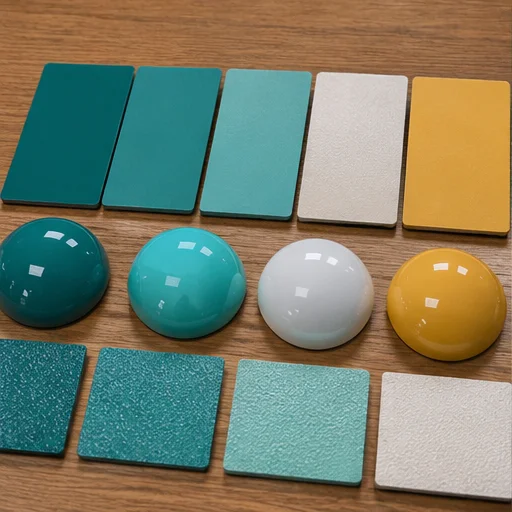
Resolve surfaces and assembly separately
A render may show the intended color relationship, but it often leaves the paint system and sheen unresolved. Put the lightest and darkest adjacent colors on the sample request and identify the intended review conditions. If a graphic crosses a seam, record which revision shows the seam location and who accepts its effect on the graphic. Compare the visible design with the proposed assembly sequence and access to serviceable parts. Ask for a marked drawing if a fastener cap, removable prop or base trim changes the silhouette. If a sample represents only paint, label its scope accordingly. The approval record should keep the geometry file, finish sample ID and interface drawing independently identifiable, even when they are approved in the same meeting.
Carry the freeze through a rollout
Prepare a variant list before issuing the purchase order. Give each entry a destination, quantity, approved body revision, finish reference, accessory set and base interface. A shared body may still need a different graphic or fixing detail for one store. Record the exceptions per location so the shop does not apply a local change to every piece. Ask the buyer and production lead to confirm which version is authorized before copying parts. Where the license owner requires a physical review, record the inspection scope and the person authorized to close it. If a deadline forces parallel review, make the downstream dependency visible: paint can be discussed against a sample while the tooling release remains on hold for a shape correction.
Make the final approval auditable
For each issue, keep its ID, affected revision, marked view, owner, decision and evidence. Classify it as open, approved, accepted with a named exception or superseded. A screenshot in a message thread may be useful evidence, but put the final decision and file identity in a shared register that the brand owner, project buyer and fabricator can all verify. Name who has permission to release the master and who must be notified when it changes. If an approval references a render made from a previous model version, request confirmation against the currently released model. At handoff, confirm which records can be distributed to installers, franchisees or other suppliers under the project authorization.
Worked example: separate a pose correction from a site change
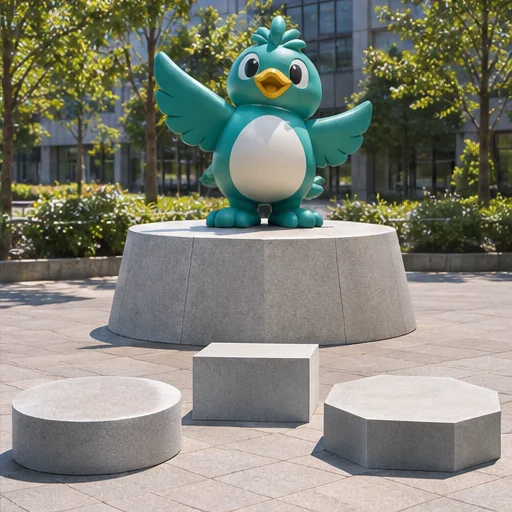
Consider a hypothetical bird character installed near a shop entrance. The brand owner approves the head and torso but asks for the raised wing to point farther inward. The site planner also moves the display closer to a queue. Keep two entries: the wing affects the shape revision, while the queue move changes the sightline and public interface. Have the modeler issue a new view set and the site planner issue an updated plan. The buyer can retain the approved color sample if the finish decision still applies, but should hold tooling release until the brand reviewer signs the revised silhouette and the project team closes the interface review. Record which documents establish that release. If the body will later be copied, hand the released revision and exceptions to the team writing the mold and reorder record.
After the review, circulate a short release note with the approved revision, variant list, finish reference and permitted distribution. Attach the record of accepted exceptions and the dates of any future checks. Request confirmation from the receiving production team that they have the same files and understand which items remain open. A change to a visible logo, removable accessory or customer-facing surface can require a separate reviewer even if the shape remains frozen. When the agreed review is remote, record the viewing limitations and ask for an additional physical reference if the reviewer cannot make the decision from the evidence supplied. Carry the release note forward to the first sample and use it to compare what was actually made against what was approved.
Download the worksheet
Before a review meeting, ask the modeler to deliver a read-only preview as well as the versioned source file specified in the project. Give the reviewers a deadline and provide one shared markup location. Ask the brand approver to resolve conflicting feedback between marketing and retail operations, then publish a consolidated decision list. If the release covers only one location or character pose, write that limit on the first page of the record. Before closing the meeting, confirm which unresolved issue can actually change the master and assign a decision owner. This keeps a late local display request from silently becoming the standard for the entire rollout.
Download the editable CSV. Assign one row to each decision or asset and add the dated supporting record before release.
Browse relevant sculpture references or send your authorized project brief.
FAQ
Can we approve from one hero image?
Use it to discuss intent. Require consistent views and a named revision for likeness approval, and add views from the relevant approach to the display.
Can the shape be approved before paint?
Yes. Identify the shape revision approved and keep the finish gate open until the agreed sample is accepted.
What should I send for a review?
Share authorized character references, quantities by variant, the intended locations, sightlines and any open decisions with the project inquiry team. See the Original IP catalogue for form references.